Delivery location
United States
Language


 +1 224 348 1207
Cart
Vasco Translator E1: Earbuds that translate languages on the go
Shop now Shop now

See Vasco translating earbuds at work
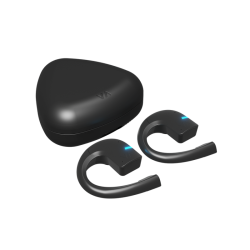
Vasco Translator E1 are cutting-edge earbuds that translate in real time. They are completely touch-free. This wearable translator will automatically pick up a chosen language and translate it directly to your interlocutor. It’s as simple as that! Vasco Translator E1 will break language barriers for you, helping you focus on your adventures abroad. We give you comfort, secrecy and simplicity, so you can follow the voice of adventure easily!
When will this earphone translator help you?

You’ll fully enjoy time spent with loved ones from abroad
Vasco Translator E1 will help you create beautiful memories. With Vasco, you can communicate seamlessly during family celebrations or meetings with friends. See how different cultures come together!

You’ll get on even better with your colleagues at work
With Vasco, you’ll feel more connected in a multicultural work environment. Thanks to our translating earbuds, you will socialize with your colleagues who speak different languages, and feel more comfortable at work.

You’ll discover the world of opportunities
Are you encountering a language barrier when visiting another country? Take it easy! Our earbuds that translate in real time will help you! Now you can go on a guided tour, take a college or cooking classes, and easily understand your surroundings.
Key features

2 conversation modes
You can choose a conversation mode that suits your needs at a given moment. Use 2 earbuds when secrecy matters, or use phone instead of a second earbud in unplanned situations.
Touchless
translation
You don't have to manually operateneither the device nor the app. Simply start talking and the headphones will translate the conversation automatically.

Up to 10
participants
Our translating earbuds enable conversations for up to 10 people when using a mobile app. Everyone speaks their own language and hears the answer in the same tongue.

49
languages
Our earbuds that translate languages will help you understand 49 tongues. This is the largest number on the translating earbuds market.
Compatible with Vasco Translator V4
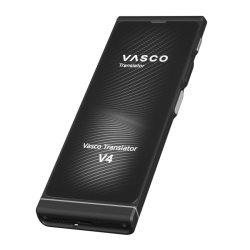
Earbuds that translate in real time can be used with Vasco Translator V4. This pocket translator will provide free lifetime connectivity for translations, as well as photo translator, text translator, and more cutting-edge features.
How to use earbuds only
You can use 2 earbuds to fully focus on a conversation.
All you and your interlocutor need to do is put them on, and Vasco device will translate every word you say. Thanks to this, you can talk without looking at the screen of your phone or tablet.
When will this solution help you?
- While chatting with friends and family from abroad
- During a class or a course in a small group
- When working in a multicultural environment, to easily talk with your colleagues
Your earbuds, your calls, no limits!


How to use Vasco earbuds with a phone?
Use a phone instead of a second earbud for the interlocutor. This is a good idea when the situation is spontaneous, or you know the conversation will be short.
When will this solution be helpful?
- When you ask for directions abroad
- While talking to officials at a border crossing or airport
- When you want to check in at the hotel reception
How will these translating earbuds help you at work?
Vasco Translator E1 is also great support if you have contact with a foreign language at work.
When will this wearable translator help you?
- When working with people from abroad
- When serving a customer from abroad, e.g. in a hotel
- When performing duties as a public figure, e.g. at a customs office


Easy pairing with Vasco Connect
Set up & manage your translating earbuds with the Vasco Connect app.
- Easily pair up Vasco Translator E1 with an app
- Set up a name, language & color of each earbud you own
- Choose your preferred translation mode
Why do we recommend using Vasco earbuds with Vasco Translator V4?
Use Vasco Translator E1 with our handheld translator for additional capabilities

Free connectivity
for translations
Vasco Translator V4 comes with a SIM card that gives you free lifetime connectivity in almost 200 countries! Internet access also works for earbuds translations, so you don't have to worry about data roaming or Wi-Fi availability abroad.

Versatile features
In addition to speech translation, Vasco Translator V4 gives you access to new modes: photo translation, text translation, and group chat messages translation.

Energy-saving
Using Vasco Translator V4 saves your phone's battery, which will come in handy when traveling.

Ultimate
language support
Comfort, mobility and self-confidence go hand in hand when you choose our innovative bundle!
How does touchless translation work?
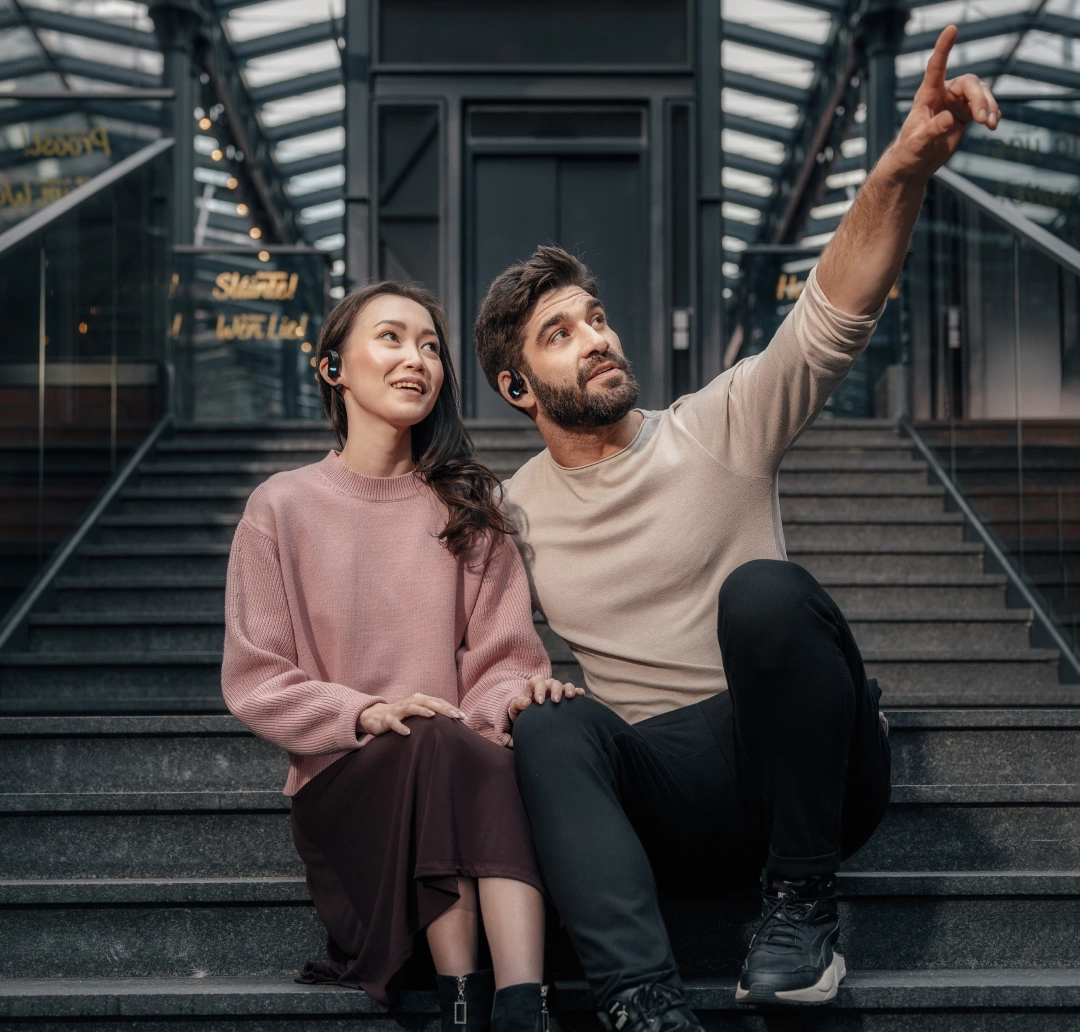
Vasco earbuds offer a unique touchless translation feature. It allows you to have a smooth conversation without the need to operate either the headphones or the app.
How it works?
- Select touchless translation before starting a conversation
- Take turns talking to the other person. It is important not to interrupt each other
- You don't need to press anything for the earbuds to recognise speech and start translating!
Check Vasco devices